Designing for iphone & ipad Question


Reappearance of Actions Sets deleted via the ‘Manage Action Sets’ screen:
Dear IB Team, I sometimes find that Action Sets deleted (using the red X, then ‘Apply’) in the ‘Manage Action Sets’ screen don’t always appear as having been deleted when I return to view via the ‘Action’ tab in the ‘Props/Action/Info’ Info’ panel. I am using IB version 3.3.3 Build 325
Many thanks

We were able to recreate this and we are working on a fix. Thank you for pointing out this bug.

Building apps for my clients?
Hi,
In one of your videos on "Build Apps and make money with Interactbuilder" you talk about using interactbuilder to build apps for clients. I would like to know how this would work?
For example, if a client of mine wanted me to build them a book app, and I built it in your interactbuilder software. How will the client get it? How would I deliver the final app to them? Will the client have to have a publishing membership?
How exactly can I use your software to "build apps" as you have mentioned in your video?
Clint

Hi Clint,
The best way to handle this is for your customer to sign up to a publishing membership, but at the same time you could also submit the app to us by signing up yourself to a publishing membership, it's totally up to you.
Basically once the app is submitted from the InteractBuilder we compile it and submit it to the app stores. If you want to use your own developer account we can transfer the app to your account or your customers account once we get it submitted.
As far as using our app, please watch our numerous videos, or look through our user guide to learn all about our software. Our YouTube channel is: www.youtube.com/interactstudios. You can download our software for free at: www.interactbuilder.com.

How can you play page and narration audio together?
You have to set the reading audio to "stop all audio before playing" so that multiple clicks don't start multiple playbacks of it (it sounds like a crowd of clones).
And when you use this setting, it kills the page audio.
I assume a solution of some kind won't come until Narration is restored.
One workaround for the time being would be to chain two action sets together: Tap-StopAudio (the narration) followed by (none)-PlayAudio (the same narration).
 two elements cannot both have on page load actions
2 Interact > it worked
3 added element two, Chained Actions - Drop 4000ms, fadeOut 4000ms, Execute oh page load: Yes
4 Interact > no actions worked
5 Removed element 2 action 2 fadeOut
6 Interact > no actions worked
7 Removed element 2 action 1. Now only single element with single onPageLoad action
8 Interact > it worked
Expected: All elements with onPageLoad actions will have their actions executed
Actual: Adding another element with etc etc breaks all onPageLoad animations.
So apparently we must put all actions we want to run on page load into a single chain. Chains are unstable, I'd rather not use chains.



Image dimensions
So two questions - will doing the 1024 using Interact mean that my full size iPad Retina images will then be blurry? If not - why not? Please explain! Normally you can't take a small image and make it larger without losing definition and sharpness. Is it possible because of the engine behind Interact?
Second question - what PPI should I use? Standard net based images are generally 72 PPI - that's about all typical monitors can show. But Apple uses a 264 standard and the newer Droids are 300 PPI and even more.
I asked this question in the webinar, but someone came to the door just as it was getting answered so I missed it.
The dimensions we prefer are 1024x768 at 72 ppi, because this displays the app at good quality without having the app become too large due to very large image files. 72 ppi is the resolution that has been the standard for on-screen use for a while, and when 72 ppi images are displayed on higher resolution devices the images still look quite crisp. The dimensions of the older iPad were 1024x768, and the newer one has the larger pixel dimensions while maintaining the same screen size. So images with the 1024x768 dimensions look the same on both devices.
To help make a decision, you can make a couple of test apps at different sizes using the images that you plan to use in your app and see which version looks good to you and uses file sizes that you're comfortable with.
I hope this helps!
Inna
My app is not displaying in interact player.com
I did clear the history in Safari and rebooted the browser, still get the same issue. I also tried sharing the app with myself and same thing happens. I haven't tried resetting my password, still using the previous one. Not sure if that could be the issue. I do see a "player" folder in my apps folder, not sure if that matters. Thanks for your help.
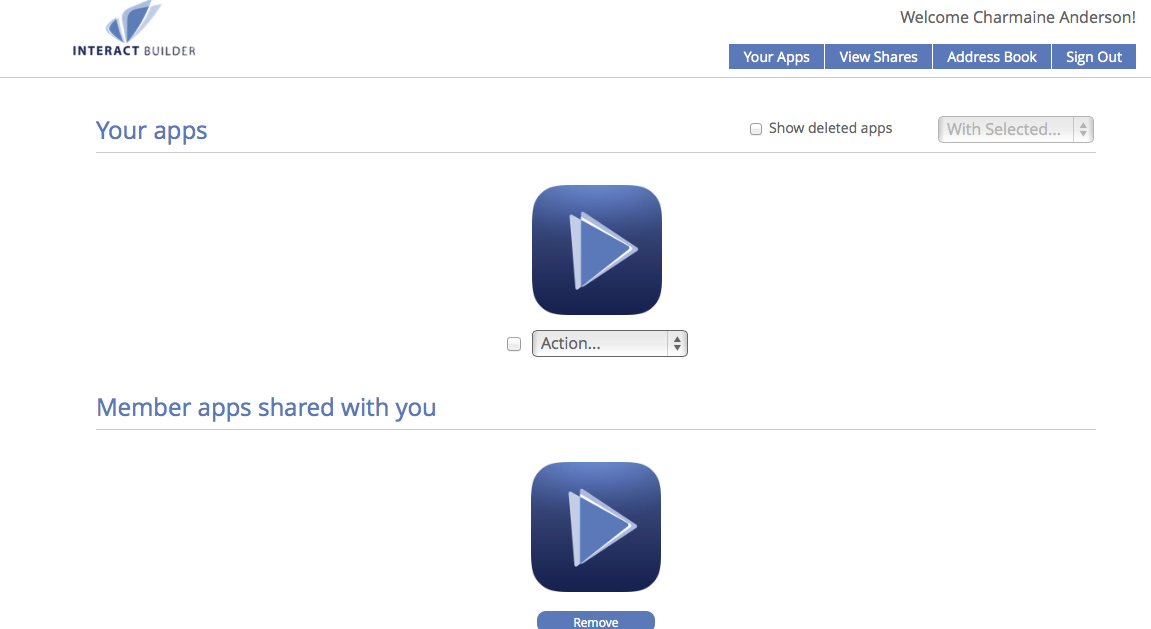

How do I resync my app with the InteractPlayer website?
Log into the InteractPlayer web site
On the top right you will see a new option "Show Deleted Apps"
Check the box and then you will see your deleted app
Click the action menu under your app and you can click on "Undelete"
Служба підтримки клієнтів працює на UserEcho