
 Problem with Scrollable Background
The drag-move function works up and down, which is what I want, however when I initially click to drag the image, it jumps halfway across the page, and I can't drag it back (presumably because I did the constraints properly, but I don't know where the image jumping is coming from).
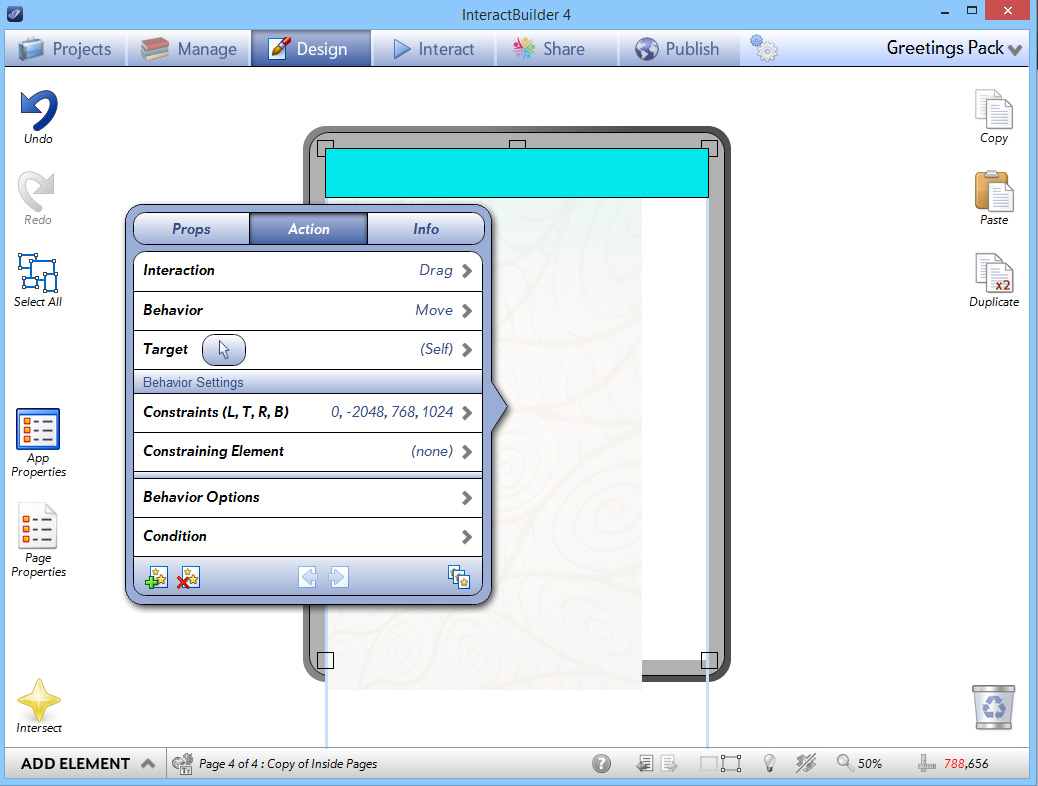
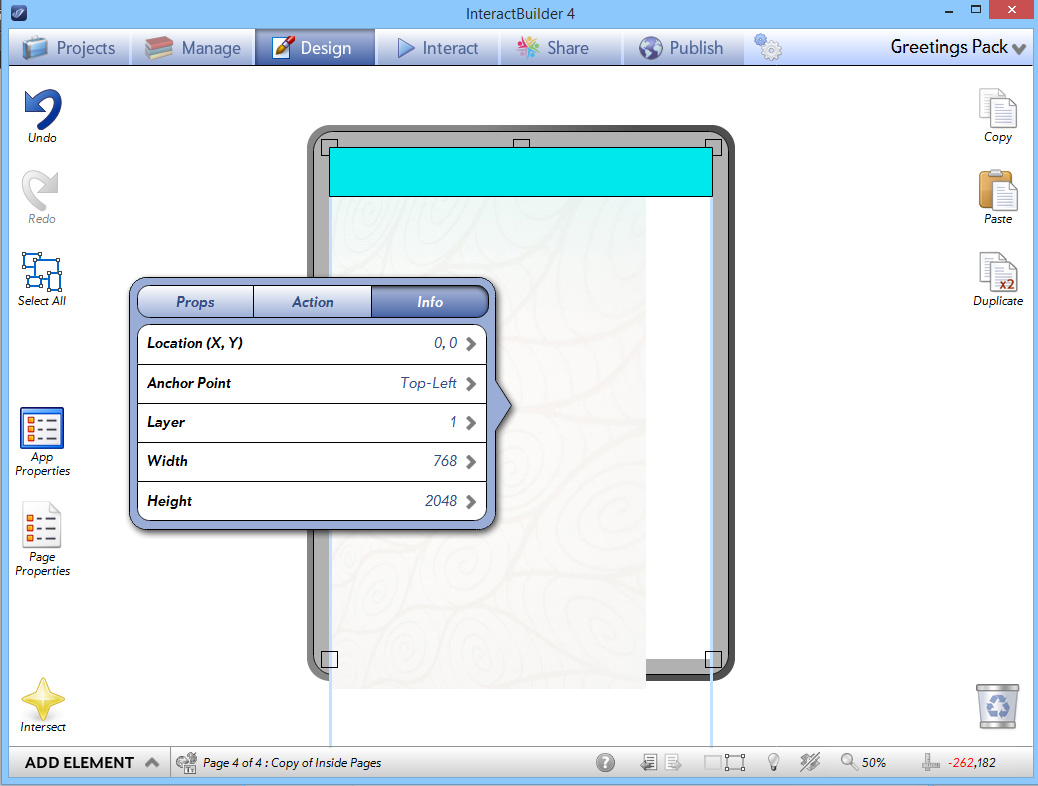
Here is just a test page I made. Here are the screenshots showing the image and action settings: The image is 768 wide and 2048 tall.
Here is a screenshot showing when the page loads:

And this is what happens immediately when I click to drag. As I said it still drags up and down properly within the constraints.

Is this another glitch or did I do something to cause the image to jump when pressed?
(As it is a test page I didn't bother putting the header on the top layer, but have tried and it made no difference).
Thanks x

This might be because we've updated the way the coordinates are set up. We used to have the bottom left corner of the screen set to (0,0), but we have since changed it to the top left corner, to match the standard that image editing programs use. Here's what you can do to get your scrollable background working:
1. First, for this situation, it's simpler if you set the graphic element to not be a scrollable element. You can change this in the element's properties. Set the Scrollable Background field to No.
2. In the element's Properties, make sure the size of the element matches the size of the original image (in this case, 768 x 2048), and set the element's Anchor Point to Middle-Center.
3. If, like in the screenshots you attached, you have the element starting with its top edge at the top of the screen, then the constraints for the Drag-Move (Self) action set should be the following:
Left: 0
Top: -1024
Right: 768
Bottom: 2048

 Moving an element back to it's place
0ms doesn't work anymore (used to in IB3) and now 1ms movement is visible (I can see it moving horizontally and then vertically back to place). In IB3, when 0ms stopped working I used 1ms, now I can't use either one. Please advise

Page Counter Condition does not get fired even at the right condition
I have a counter on a page. I will change the counter to value 1, when a picture is pressed.
When the counter value is 1, it will fire an action.
i.e. Action (fade in another picture) with condition
Condition {Page Counter} is {Value}
Element Q2 Counter
Value 1
Straight forward enough. But the action never get fired.

Double Tap bug
Action Set to reproduce: On Tap > animate element > Loop Yes > Transition horizontally a short distance. On Double Tap > Stop Animation.
In Interact mode, it behaves ok, Except after stopping the animation on Double Tap. Tap the element again, the element disappears and then reappears with a vertical transition flying up and down which was not intended. This happens consistently on other elements in my app that use double tap with a transition animation set to loop. (Note I did not chain the Double Tap to the On Tap event).

tap selection order
I have an object with three different areas to be filled with a pattern. I want the kids to be able to choose from four different color patterns to fill or color the object. How do I tap the pattern and then tap the area to be colored and make it appear.
I have all of the pattern colors as layers that are hidden in the spaces at the moment. Screenshot attached.
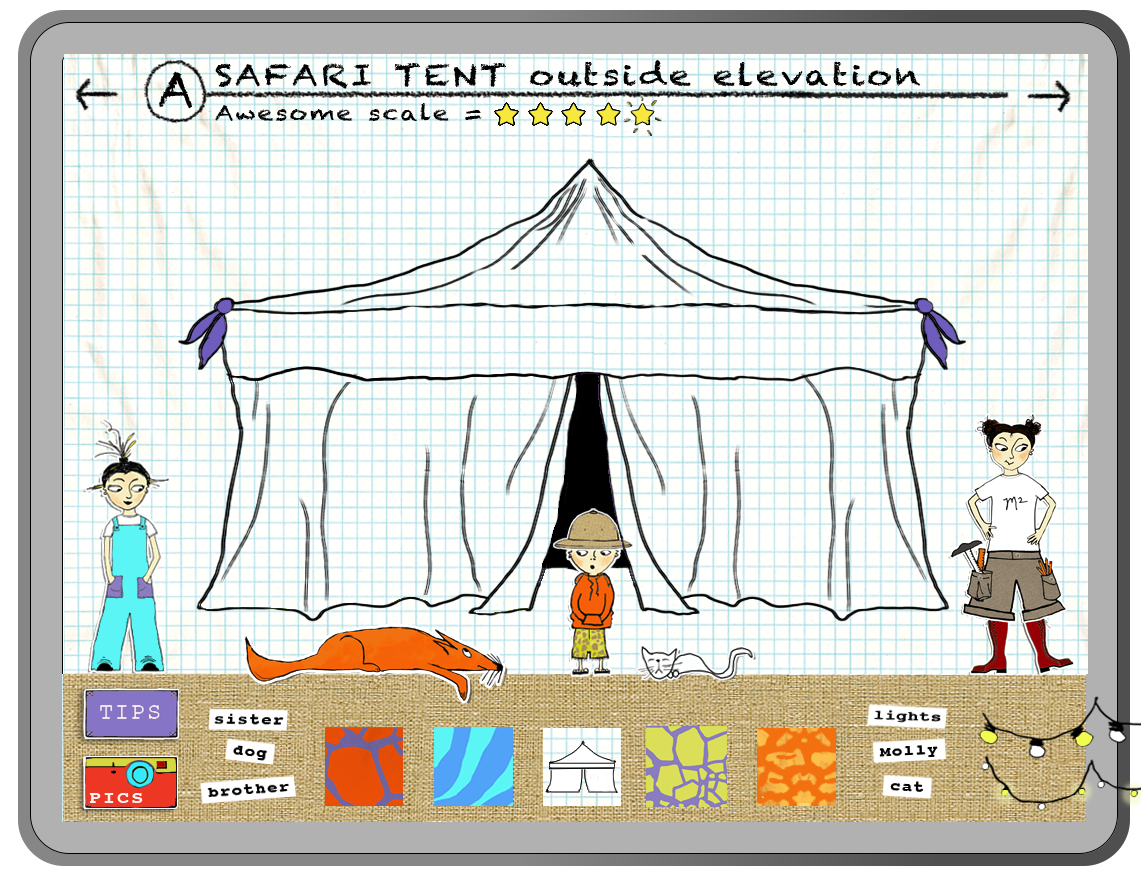
If you want to color the tent for example without having any element from where to choose a color, you will do this by simple having a copy tent colored with every color. And two behaviors on them: Hide self and then Show the other tent that is colored differently. So when the user tap once it the tent will appear in color1, when the user taps again the tent that is colored in color1 will hide and it will show the tent colored in color2.

shared app performing differently on identic devices
I am having many problems with my ebook on the iPad's InteractPlayer. After many trials to share my ebook (81 pages, about 145 MB in weight) with myself, and not being able to (the downloading bar on the iPad freezed at about the last third; and the only way to exit that situation was to delete the player and reinstall it) I tried again dividing my ebook in smaller parts and I succesfully shared a version of the first 46 pages of my book; downloaded on the iPad and played it. But my client, to whom I had send the same shared part of my book; reported that he could download the book and open it; but was not able to pass the first page; as if the next page function was not working..
I don't understand why it works on some devices and not in others, being in this case both of them iPad2 with iOS7... but It would be a disaster if after publishing, a portion of the buyers won't be able to play the book... could I share my app with some of you to see if you can reproduce the problem?
thanks
Pablo

browser window remains opened after several web urls are loaded
layer change
I brought in a revised element into interactbuilder. I copied the actions from the element to be replaced, pasted them onto the new element and got this error:
InteractBuilder Version: 3.3 Build 325
Device: MacBook Pro
Processor: Intel Core i5
Memory: 4 GB
System: 10.6.8
--------------------
An application error occurred while attempting to perform the last action.
Restarting InteractBuilder is recommended.
An application error occurred while attempting to perform the last action.
Restarting InteractBuilder is recommended.
Error: Chunk: error in object expression / Chunk: can't find object / Object: does not have this property / put: error in expression
Handler: ShowBehaviorTargets
Hint:
Location: Line 1324, char 55
Object: button id 1012 of card id 1002 of stack "Behaviors" of stack "/Applications/InteractBuilder.app/Contents/MacOS/Local Components/Data/InteractBuilder.livecode"
69: Line 1324 at char 55: Chunk: error in object expression
77: Line 1324 at char 55: Chunk: can't find object
456: Line 1324 at char 29: Object: does not have this property
465: Line 1324 at char 1: put: error in expression
253: Line 1322 at char 1: if-then: error in statement
253: Line 1321 at char 1: if-then: error in statement
253: Line 1309 at char 1: if-then: error in statement
587: Line 1288 at char 1: switch: error in statement
490: Line 1282 at char 1: repeat: error in statement
253: Line 1277 at char 1: if-then: error in statement
241: Line 1277 at char 1: Handler: error in statement ----> ShowBehaviorTargets
353: Line 0 at char 0: Object Name: ----> button id 1012 of card id 1002 of stack "Behaviors" of stack "/Applications/InteractBuilder.app/Contents/MacOS/Local Components/Data/InteractBuilder.livecode"
573: Line 1247 at char 1: Handler: can't find handler ----> ShowBehaviorTargets
253: Line 1240 at char 1: if-then: error in statement
241: Line 1240 at char 1: Handler: error in statement ----> SelectBehavior
353: Line 0 at char 0: Object Name: ----> button id 1012 of card id 1002 of stack "Behaviors" of stack "/Applications/InteractBuilder.app/Contents/MacOS/Local Components/Data/InteractBuilder.livecode"
573: Line 18 at char 1: Handler: can't find handler ----> SelectBehavior
253: Line 14 at char 1: if-then: error in statement
241: Line 14 at char 1: Handler: error in statement ----> stsTableView_MouseUp
353: Line 0 at char 0: Object Name: ----> group id 4556844 of group id 4564281 of group id 4510993 of group id 4510989 of card id 1139 of stack "/Applications/InteractBuilder.app/Contents/MacOS/Local Components/Data/InteractBuilder.livecode"
675: Line 244 at char 1: ----> stsTableView_mouseUp
253: Line 212 at char 1: if-then: error in statement
253: Line 208 at char 1: if-then: error in statement
587: Line 204 at char 1: switch: error in statement
241: Line 204 at char 1: Handler: error in statement ----> touchMouseUp
353: Line 0 at char 0: Object Name: ----> button id 70091 of card id 1002 of stack "IBResources" of stack "/Applications/InteractBuilder.app/Contents/MacOS/Local Components/Data/InteractBuilder.livecode"
573: Line 184 at char 1: Handler: can't find handler ----> touchMouseUp
253: Line 183 at char 1: if-then: error in statement
241: Line 183 at char 1: Handler: error in statement ----> mouseUp
353: Line 0 at char 0: Object Name: ----> button id 70091 of card id 1002 of stack "IBResources" of stack "/Applications/InteractBuilder.app/Contents/MacOS/Local Components/Data/InteractBuilder.livecode"
line 150 of handler "errorDialog" of button "stsErrors_FS" of card id 1002 of stack "libSTSErrors"
line 14245 of handler "DoError" of stack "InteractBuilder" of behavior button "Stack B" of card id 1002 of stack "Behaviors"
Thank you for reporting this error. As a quicker way of updating a revised element, you can select the original element and assign the new image file to that element. This will maintain all of the actions sets but update the way the element looks.
When you click on the element and see the properties window, below the element's name you'll see an "Image" field that says the name of the image file in your app folder. If you click there you'll be able to select an image from Dropbox, from the app, or from the files on your computer. When the image is changed, the action sets are maintained.

Animated Element with Transition > Tap > Show > Hide Bug
Problem: Can't make an animated element with a transition hide a text element that it previously had shown.
To reproduce:
Place a .png sequence of frames on the stage.
Place a Text element on the stage and hide it on page load.
Set the Animated element Action to Animate > Loop > Yes
Set Animated Element Behavior > Play on Page Load to Yes.
Set Aniamted Element to transition to another location on the stage.
Set another Action to the Animated Element: Tap > Show > a hidden Text Element
Add another Action to Animated Element: Double Tap > Hide the Text Element.
Go into interact mode, when animated element is tapped the hidden text element will display as expected.
Problem occurs when you double tap the animated element: the Text element will NOT HIDE.
This occurs on my MacPro.
Thanks for looking into this bug.
Can't select a target (mp3 file) for PlayAudio Behavior
InteractBuilder Version: 3.3 Build 325
Device: System Product Name
Processor: 1 Processor(s) Installed.
[01]: x64 Family 6 Model 23 Stepping 10 GenuineIntel ~1999 Mhz
Memory: 3,327 MB
System: NT 6.1
--------------------
An error occurred while accessing the database.
An error occurred while accessing the database.
Database Error: near "1034": syntax error
Query: SELECT Id FROM PageElements WHERE Type IN ('CP','CB') AND Opacity=850
1034
line 184 of handler "mouseUp" of group "_Row37" of group "PopOverSubmenuTable" of group "PopOverSubmenu" of card "Design" of stack "InteractBuilder" of behavior button "stsTableRow Behavior" of card id 1002 of stack "IBResources"
line 244 of handler "touchMouseUp" of group "_Row37" of group "PopOverSubmenuTable" of group "PopOverSubmenu" of card "Design" of stack "InteractBuilder" of behavior button "stsTableRow Behavior" of card id 1002 of stack "IBResources"
line 983 of handler "stsTableView_mouseUp" of group "PopOverSubmenu" of card "Design" of stack "InteractBuilder" of behavior button "PopOver B" of card id 1002 of stack "IBResources"
line 4900 of handler "PopOverSubmenu_Select" of group "PopOver" of card "Design" of stack "InteractBuilder" of behavior button "PopOver B" of card id 1002 of stack "IBResources"
line 7843 of handler "PopOverDoMenu" of group "PopOver" of card "Design" of stack "InteractBuilder" of behavior button "PopOver B" of card id 1002 of stack "IBResources"
line 6109 of handler "ibDB" of stack "libApp" of stack "libApp"
line 6093 of handler "CheckDBErr" of stack "libApp" of stack "libApp"
line 14245 of handler "DoError" of stack "InteractBuilder" of behavior button "Stack B" of card id 1002 of stack "Behaviors"

Servicio de atención al cliente por UserEcho